Changelog

Follow new updates and improvements to Jadebook.

August 1st, 2025

New

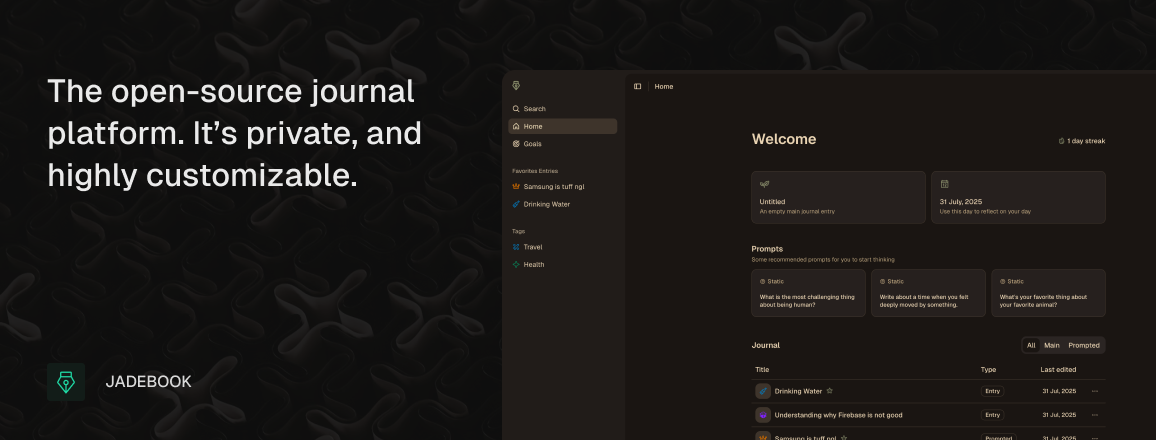
Launched Jadebook OSS version. It’s probably one of the most privacy-friendly journal platforms on the market since you setup your own database, and host everything on your own accounts.

Check out the GitHub →

Benefits

  • Everything is held in Supabase, including auth, db and storage

  • Get search, tags, covers, icons, transcription and uploading assets

  • Mobile-responsive and available as a Progressive Web App (PWA)

  • Comes with OpenAPI spec in-case you want to build something on top

  • Uses NextJS so the code is fairly accessible and easy to work with

  • Export/Import to and from the SaaS Jadebook platform

  • You can one-click deploy it on Vercel for free

  • Rich-text editor for entries

August 1st, 2025

Quick Update

When we first built Jadebook, we built it in a monolith-structure where everything was in one place. While this worked great, the scope of Jadebook has increased — where we want to support different platforms. The previous architecture made this extremely difficult so we completely reworked it.

Here's what's been shipped:

  1. Flat 20-30% performance improvement

  2. Increased backend security and reliability

  3. Memory is now much faster to generate and more reliable

  4. Major UI overhaul to make everything less janky and far more versatile

  5. The editor is now simpler due to our plans to build a mobile app

Oh and we made the marketing site way better :)

August 1st, 2025

Monthly Update

We plan on launching on Monday, 2nd June. As such, we've shipped a bunch of updates including many platform bug fixes.

  • Use Gemini 2.5 Flash over Gemini 2.0 Flash

    • We've disabled thinking output but in general, 2.5 Flash is faster, more reliable, has more knowledge and has more capabilities

  • Allow users to include images and PDFs to their chats

  • Updated some document layouts to work more intuitively

  • Separate journals

    • We now have the home view which shows all entries from all types of journals.

    • Journals now have a separate section in the sidebar

  • Update all empty states to be more friendly to new users

  • Add voice transcription (BETA)

    • Free users can use real-time browser transcription if supported

    • Pro users can record in 10-minute sessions and have the OpenAI Whisper model generate the transcription. This will also add grammar and is way more accurate

  • Update Memory structure to be more reliable for models to generate — also added goals and aspirations and Values to the schema

  • Updated the model used for Memory

    • Previously, generation took take up to 15 seconds. It should now take ~1 second with ~5 seconds being the slow end

  • Allow new users to quickly go through an onboarding process, setting their desired theme, username, and layout

  • Create onboarding document — shows new user's the rich-text capabilities and AI features

  • Add the final background functions for handling automatic document deletions (for entries that have been deleted for over 30 days)

  • A metric ton of bug fixes

May 5th, 2025

Quick Update

It’s been a while but there have been a lot of changes made to improve Jadebook. You’ll notice that we removed optional encryption and full-text search. A goal we currently have is to reduce complexity especially when it’s unnecessary and these just happened to be a part of that.

  • Guided Journals have been updated to include all the features from the other types of journalling

    • This includes AI features, covers, icons, searching, and more.

  • Optional encryption is no longer a thing. Everything will be encrypted always.

    • This also means that full-text search will no longer work. Semantic Search is now the only way the search works

  • Added a space under the typing cursor so the text doesn’t hit the bottom of the viewport

  • Update Entry UI to be much cleaner and intuitive

    • This includes the icon selector, top bar and now the UI will also fade away when typing to allow you to focus more

    • The quick actions like add icon, add cover and the document date now fade away unless you hover over near them

  • We’ve also removed some rich-text features. Thinking about the mobile app, these features would have made development far more difficult for no reason.

    • This include the text-align, subscript and superscript

  • Major Goals rework

    • Covers are now supported

    • The Logs editor is wayyy better

    • Logs have an updated rating system. Rather than a thumbs up and thumbs down, we now have on track, off track, neutral and major update

    • Logs now load differently. We load the first 5 and then load more as you scroll. Previously there was so much text and data that it would be overwhelming

  • Slight update to how Guided Systems work — mainly performance improvements

  • Assets settings rework

    • Assets should now load faster

    • UI has been updated to be more intuitive

    • You can now see what entity the asset is linked to and go to it

      • Eg. If the asset is in a journal entry, you can go to that entry

April 22nd, 2025

New

A core item on our roadmap was a page where user’s can see all their assets and delete them if they want. We’ve finally added it. It’s currently available in the settings and shows file name, file size, date uploaded and let’s you delete the asset.

It should be reminded that Jadebook should not be used as a long-term storage solution. Assets are compressed on upload and we keep these files private, eg, we generate a public url that lasts maybe an hour and then expires. You should probably use something else for file storage.

Summaries

Another feature we’ve added is AI Summaries. When you memorise a journal entry, the AI will now generate a quick summary for you.

AI Chat

The AI Chat now has access to retrieve recent entries. Eg, let’s say you had a great day, well, now the AI knows that and might congratulate you.

By default, the AI Chat will only have access to memorized entries. This is because the AI features are opt-in and the user has control over that they want to share. However, having to memorise all your entries every time seems a little annoying so there is now a toggle in the settings allowing the AI to have access to all entries.

April 18th, 2025

Quick Update

We’ve been focusing on performance and UI. The focus this time was the notes and goals which were previously stored within their parents. I.e the notes were stored within the entry. But this meant we had to add aggressive restrictions as to not take up too much space in a single object.

But with the new Reflective Agents the previous character limit of 600 simply wasn’t enough. So with the new updates, you can now store more notes, the character limits have been increased to 2000 (1000 for free users) and entries in general should be much faster.

  • Update Notes and Goals

    • More performance and higher character limits

  • New settings sidebar

April 17th, 2025

Quick Update

We’re overhauling the UI a bit to make the newer features fit in better and overall make Jadebook a better experience.

  • Updated Home view

  • Add drafts (empty entries are shown as drafts)

  • Add Recommended Prompts (AI prompts based on your memory) (Pro Feature)

  • Minor UI Changes (eg headings are 1 size smaller)

April 14th, 2025

New

Quick Update

We’re introducing a new feature called Reflective Agents. The idea is that you create pre-defined prompts to run on your journal entries. For example, we have a preset called Connection with Memory which runs the following prompt:


Use the `User Memory` if available and find connections between the memory and the journal entry

It’s fairly basic but it pretty useful. You can instantly see how your recent events, personality traits or decision making is seen in the journal entry.

You’re free to create some custom AI Agents with your own prompts. Once you run an agent, if the result is lower than 1000 characters, then you can also store it in a note as reference.

General Improvements

  • Updated the Icon Sector popover UI to way less buggy (it was opening nested popovers which was annoying on mobile and caused issues with layers).

  • Improved the reliability of the Memory feature

  • Limited the number notes on a journal entry to 8 but increased the character limit to 1000 (up from 600).

  • All AI settings have been move to a seperate settings tab

  • Sidebar items have increased quite a bit so added some slight separation

April 13th, 2025

New

As the title says, we now have support for guided journals and passcodes.

Guided Journals

These work using systems which are collections of questions. There are a couple presets but you can create your own, custom ones. Currently you can create a maximum of 10 custom systems.

Guided journals work a little like Goal logs, where you’ll essentially splitting a large journal entries into more focused, smaller entries.

Currently, we haven’t added AI support for this yet but adding the ability to memorise guided entries will be coming soon.

Passcodes

We’ve also add passcodes. It’s a simple measure to stop people from looking into your journal. This is a client-side measure, meaning we aren’t doing anything crazy behind the hood. It’ll simply stop anything from being rendered until you input the correct passcode.

Passcodes will persist for an hour, after which you’ll have to input the passcode again.

April 12th, 2025

So, we’re introducing a change log to keep track of all the updates.

Currently the following is done:

  1. Rich-text editing

  2. Editor Notes

  3. AI Memory feature

  4. AI Chat

  5. Covers

  6. Tags

  7. Print entry

  8. Encryption

  9. Prompted questions

  10. Prompt generation

  11. Export entry

  12. Import from Daybook

  13. Google and Github auth

  14. Goals + Goal Logs

  15. Search + Semantic Search

  16. Insights

  17. Streak tracking

  18. Theming

  19. Soft-delete

  20. Billing

So many features already and so many more to go. Yay.